Wellframe
- 4.5
- Rating
- 100.00K
- Installs
- Free
- Price

 Analysis by App-foxy
I tend to judge medical apps by a simple question: do they make the next health-related task easier, or do they merely place familiar information on a phone? Wellframe aims at the first job. It brings communication with a care team, medication reminders, and related support into one mobile experience, so its value depends less on entertainment or visual polish and more on whether it fits the way you already manage care.
After using it as a practical health companion, I see it as a useful bridge between appointments and everyday routines. It is not a replacement for urgent medical help, a full personal health record, or a general-purpose messaging app. Instead, it works best when a person has an ongoing relationship with a care team and needs a more organized way to stay connected, remember medicines, and follow through on care tasks.
How I would decide whether Wellframe fits
The first decision point is your relationship with healthcare. Wellframe is most appealing when your care involves regular guidance rather than one isolated visit. If you often need to remember instructions, keep track of medication times, or send a question to the people involved in your care, having those activities together can reduce the mental effort of switching between notes, alarms, phone calls, and separate conversations.
You May Also Like

 Blood Strike: 2.5 Anniversary
Blood Strike’s Loadouts Turn Every Drop Into a Tactical Gamble
A close look at Blood Strike’s custom loadouts: how fast access to signature weapons reshapes its battle royale rhythm, rewards preparation, and narrows the gap between fights.

 Pandora - Music & Podcasts
Pandora’s Music Is Easy to Start, but Harder to Recover
Pandora’s strength is its low-effort path from a seed to a station. Its weak spot is how much confidence it asks you to place in connection, setup, and quiet recovery.

 8 Ball Pool
 Is Built on Rivalries, Rematches, and Routine
A close look at the rivalries, rematches, shared routines, and unanswered safety questions that turn a quick pool match into a persistent mobile community.

 Samsung Music
’s Quiet Strength Is Playing What You Already Own
Its reach comes less from spectacle than from dependable access to a personal library. That simplicity is both the app’s strongest retention engine and its ceiling.

 AccuWeather: Weather Radar
AccuWeather Review: A Quick, Clear Forecast for Everyday Decisions
For everyday plans, the best forecast is the one you can understand quickly. AccuWeather makes rain timing, radar, and local conditions easy to act on, with a few trade-offs.

 Hill Climb Racing
Why Hill Climb Racing Still Turns Crashes Into One More Run
A tiny car, a bumpy hill and one more upgrade: Hill Climb Racing keeps resurfacing because its simple chaos makes every near-miss feel personal.
More From Our News Desk



The app is developed by Wellframe, LLC and belongs to the medical category. It is free to use, carries an Everyone age rating, and has been available since February 10, 2014. Those details make it approachable for households where more than one generation may need a straightforward health tool, although ease of access should not be confused with suitability for every medical situation.
I would also consider how much structure you want. Some people prefer a basic alarm and a paper notebook. Others want a central place to communicate with a care team and keep reminders close to that conversation. Wellframe sits firmly in the second group. Its strongest argument is not that it replaces every health tool, but that it can bring several small responsibilities into one routine.
Its public reception is encouraging without being a reason to install it blindly. Wellframe holds a 4.5 average from around 2.2 thousand ratings, with 967 written reviews and over 100 thousand installs. I read those figures as evidence that the app has found a real audience, not as proof that every care arrangement will work equally well through it. A medical app is only as useful as the support and workflow surrounding it.
The everyday problem it solves
Imagine coming home after an appointment with several instructions in your head. You need to take a medicine at a particular point in the day, remember a question for your next conversation, and contact the care team if something changes. A normal phone alarm may cover only the first task. A notes app may hold the second. A phone call may handle the third, but without leaving a clear, convenient trail for your daily routine.
Wellframe is designed for that kind of in-between period. I found the concept most useful when I treated the app as a daily checkpoint rather than something to open only during a crisis. A quick review of reminders, followed by a message when clarification was needed, felt more realistic than expecting the app to manage my entire health history.
That distinction matters. If you expect automatic diagnosis, emergency monitoring, or a complete medical record, you are looking in the wrong place. If you want a more deliberate connection between care-team communication and medication habits, the app has a clearer purpose.
Communication is the main reason to choose it
The central feature is the ability to message your care team. That can be more useful than it first sounds. Many healthcare questions are not emergencies, yet they are too important to leave to memory. A message can help you ask about an instruction, describe a change, or request guidance without turning every uncertainty into a rushed call.
My practical advice is to write messages as if the recipient is reviewing several patient conversations. Put the main question first, include the relevant context, and separate multiple issues instead of sending a long stream of short notes. Wellframe can make communication more accessible, but it cannot make an unclear message clear. The quality of the exchange still depends on how carefully you explain what you need.
There is also an important boundary around response expectations. Messaging is convenient, but I would never treat it as an emergency channel. Someone with severe or rapidly worsening symptoms should use the appropriate urgent service rather than waiting for an in-app reply. This is one of the most important habits to establish before relying on any healthcare messaging feature.
Another trade-off is that the app’s usefulness depends on whether the relevant care team actually works through it. A person can download a medical communication app and still gain little if their providers do not use the same channel. That is not a flaw unique to Wellframe, but it is a practical question to settle before investing time in setup.
Medication reminders are more valuable when they are part of a routine
Medication reminders sound simple, and they are. Their real value comes from consistency. I would use Wellframe at the moment when a medicine normally happens, not merely as a place to store a schedule. For example, linking the reminder with an existing habit such as breakfast, brushing teeth, or preparing for bed makes it easier to respond immediately instead of dismissing the alert and forgetting it later.
A helpful workflow is to review the next reminder at the beginning of the day, keep the phone available during the relevant routine, and check the app again if the day changes unexpectedly. Travel, a late meal, or an appointment can disrupt even a well-designed schedule. The reminder can prompt attention, but it cannot decide what to do when a dose is late or missed. That is a situation where instructions from a pharmacist or care professional remain more important than guessing inside the app.
I also see a less obvious use for reminders: they can expose where a routine is failing. If you repeatedly postpone the same alert, the problem may not be forgetfulness. The medicine may be stored in an inconvenient place, the timing may conflict with work, or the reminder may arrive when the phone is out of reach. Treating repeated dismissal as feedback can lead to a better conversation with your care team.
For someone who only needs a single daily alarm, a standard phone reminder may be faster and less demanding. Wellframe becomes more compelling when medication prompts need to sit alongside care-team communication rather than live in isolation.
What I would check before relying on it
I would begin by confirming the exact care connection available to me. The app’s store summary describes messaging with a care team, but the practical experience depends on the organization or professionals connected to that account. Before building a routine around it, I would ask whether messages are monitored during the hours I need, what kind of questions belong there, and which situations require a call or urgent support.
I would then set up only the reminders that genuinely matter. Adding every possible health task at once can create notification fatigue. A smaller, accurate schedule is easier to trust than a crowded list that encourages constant dismissing. Once the basic routine feels reliable, I would add other useful prompts gradually.
Privacy and phone access also deserve everyday attention. I would use a screen lock, avoid leaving sensitive conversations visible in public, and think carefully before sharing a device. These are sensible habits for any medical messaging tool. The app can organize a conversation, but the user still controls much of the physical security around the phone.
The current version is 8.12.3, and it requires at least iOS 9. That broad operating-system requirement may help people using older Apple devices, though I would still keep the phone’s software and the app updated when possible. Updates can affect reliability, compatibility, and the way notifications behave, so a reminder system should be tested after an update rather than assumed to be unchanged.
Where Wellframe wins, and where another category may fit better
Wellframe’s clearest advantage is concentration. Instead of using one tool for alarms, another for notes, and a separate route for care-team contact, it offers a health-focused place to return to. That can reduce the small decisions that often cause people to abandon a routine. I especially like the idea for someone managing continuing care who wants communication and reminders to feel connected rather than scattered across the phone.
It also has a calmer purpose than many general health apps. There is no need to turn care into a competition, chase charts, or build a lifestyle dashboard if your main goal is simply to stay in touch and remember what needs doing. For a person who finds wellness apps distracting, this narrower focus may be a genuine strength.
The app is less convincing as a standalone solution. A general medication alarm may be better for a person who has no participating care team and wants only a quick notification. A notes app may suit someone who needs a flexible personal log. A clinic’s own patient portal may be preferable when appointment records, test results, billing, and formal documents are the priority. Those alternatives belong to different categories, so the right comparison is based on the task you need to complete, not on which app has more functions.
There is also a difference between communication and documentation. A message to a care team can be useful for a question, but it should not automatically become your only record of every important medical detail. I would keep essential information in the formal records and follow the instructions given by healthcare professionals. Wellframe can support the process without becoming the entire process.
People who dislike notifications may find the app demanding. Reminders are helpful only when they are noticed and acted on. If your phone is usually silent, shared, inaccessible during work, or overloaded with alerts, the benefit may be smaller than expected. In that case, a simpler routine with a physical pill organizer and a carefully chosen alarm could be more dependable.
The real cost is habit, not money
Because Wellframe is free, the financial barrier is low. The more meaningful cost is setup and attention. You need to establish the right reminders, understand how communication should be used, and develop the habit of checking the app at useful moments. That effort is reasonable, but it should be acknowledged before calling the app effortless.
Switching from a basic alarm requires more than copying times into a new screen. I would first write down the current medication routine, identify which reminders are essential, and decide what questions belong with the care team. Then I would run the old and new systems together briefly while checking that the alerts appear when expected. Once the new routine proves dependable, removing duplicate alarms prevents confusion.
Switching from a clinic portal is different. I would not move formal record-keeping simply because Wellframe feels more convenient. Instead, I would use each tool for its strongest job: the official portal for records and appointments when applicable, and Wellframe for the communication and reminder workflow it supports. That approach avoids forcing one app to do everything.
Families should think about who is actually responsible for responding to reminders and messages. A relative may help someone remember a medicine, but that does not automatically mean they should have access to private health conversations. I would agree on roles clearly and avoid sharing login details casually. The convenience of a shared routine should not erase personal boundaries.
Questions I would settle before installation
The first question is whether my care team uses Wellframe. I would confirm that before spending time building reminders around it. If the answer is no, the medication feature may still have value, but the app’s most distinctive purpose becomes less relevant.
The second is whether I need urgent answers. I would ask how the care team expects messages to be used and what route is appropriate outside normal communication. Wellframe can support routine contact, but no reminder or message screen should replace emergency services.
The third is whether I need a complete health record. If I want lab results, appointment history, documents, or broad record access, I would compare Wellframe with the relevant patient portal before choosing it as my main health app. Its focused design is a benefit only when that focus matches the job.
The fourth is whether I can maintain another daily habit. If I already ignore several alarms, I would simplify my phone notifications first. A medical app cannot compensate for an overloaded routine. Starting with one or two high-value reminders gives the system a fairer test.
Finally, I would consider the device itself. Wellframe supports iOS 9 and later, and it is free, but an older phone, unreliable notifications, or limited access can still undermine the experience. I would test a reminder and send a non-urgent message according to the care team’s instructions before trusting the app with an important routine.
My recommendation for the right kind of user
I recommend Wellframe to people who have an ongoing care relationship, want medication reminders, and would genuinely use in-app communication as part of their health routine. It is particularly suitable for someone who feels that care tasks are spread across too many places and wants a more focused daily checkpoint.
I would not recommend choosing it solely because it is free or because its rating is strong. Those are useful signals, but the deciding factor is workflow compatibility. If your providers are not connected, if you need a comprehensive medical record, or if you only want a single alarm, another category of tool may serve you better with less setup.
For me, the best way to use Wellframe is modestly and deliberately: confirm the care-team connection, add only meaningful medication reminders, write clear non-urgent messages, and keep emergency and formal-record needs on their proper channels. That approach respects both the app’s strengths and its limits.
Wellframe, from Wellframe, LLC, is a free medical app with an Everyone rating and a long presence on mobile devices. Its purpose is practical rather than flashy. The strongest reason to install it is not the reminder alone; it is the connection between remembering care tasks and knowing where to ask the next question. If that connection reflects your real healthcare routine, I think it is worth trying. If it does not, a simpler alarm or a more comprehensive patient portal will likely be the better choice.
FAQs for Wellframe
01What is Wellframe and how does it work?
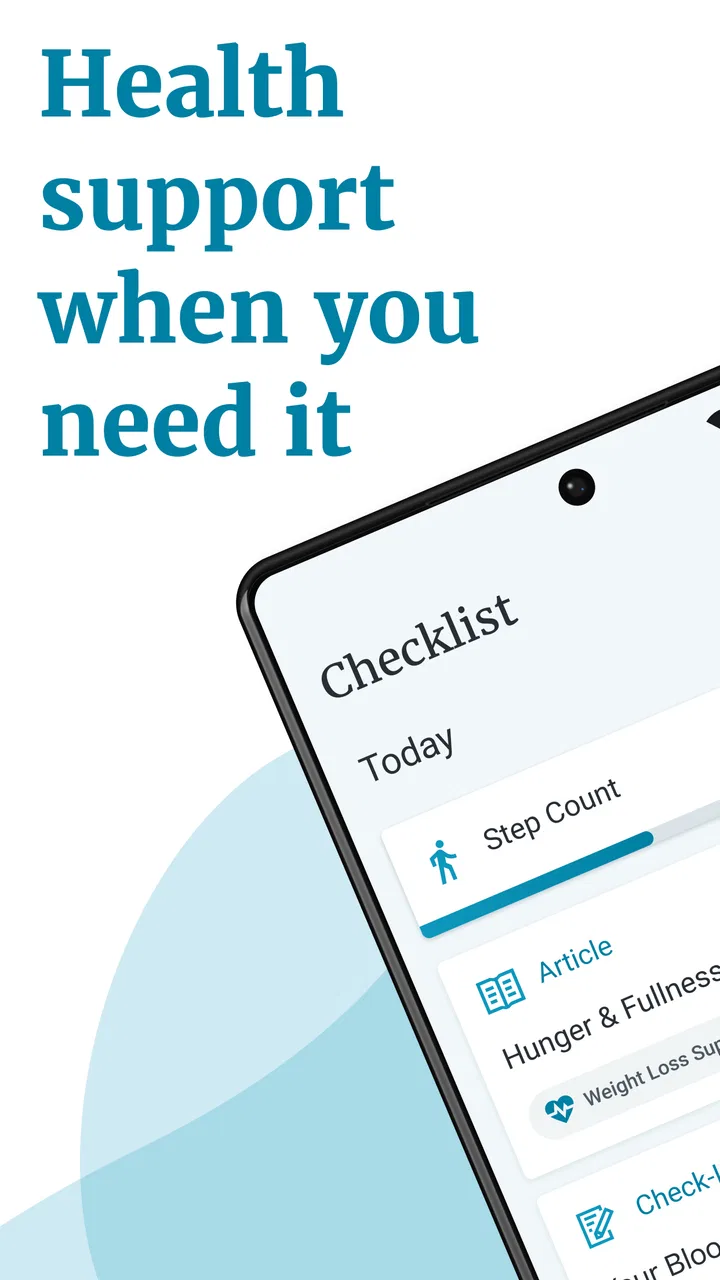
Wellframe is a digital health management app designed to connect patients with healthcare professionals. It provides personalized care plans, medication reminders, and educational content. Users can communicate with their healthcare team through secure messaging, ensuring continuous support and monitoring of their health conditions.
02Is Wellframe available for both Android and iOS devices?
Yes, Wellframe is available for download on both Android and iOS platforms. Users can find it on the Google Play Store for Android devices and the Apple App Store for iOS devices, making it accessible to a wide range of smartphone users.
03How secure is my personal health information on Wellframe?
Wellframe prioritizes user privacy and security by using encryption and secure data storage. The app complies with healthcare regulations such as HIPAA, ensuring that all personal health information is protected and only accessible to authorized healthcare professionals.
04Can I use Wellframe without an internet connection?
While some features of Wellframe may work offline, such as accessing previously downloaded content, a stable internet connection is necessary for real-time communication with healthcare providers and for syncing health data. Ensure you have internet access to make the most of the app's functionalities.
05What kind of support can I expect from the Wellframe app?
Wellframe offers personalized support through direct communication with healthcare professionals. Users receive tailored care plans, medication reminders, and educational resources. The app also provides a platform for users to ask questions and receive advice, ensuring comprehensive support for managing their health.
Pros
- User-friendly interface for all ages.
- Comprehensive health tracking features.
- Secure messaging with healthcare providers.
- Customizable health goals and reminders.
- Integrates with wearable devices seamlessly.
Cons
- Limited offline functionality.
- Requires stable internet connection.
- Notifications can be overwhelming.
- Some features need premium access.
- Occasional sync issues with devices.

Wellframe
Gallery